![Netstream_White_RGB[1].svg]](https://support.netstream.cloud/hubfs/Netstream_White_RGB%5B1%5D.svg)
You can use IAM users to grant specifically defined or restricted access to your S3 environment. You can define which user can access which path with which permissions. This lets you define in much more detail which application gets access to what, without having to use the root keys directly.
Creating a user
When you create a new IAM user, it has no permissions in its initial state. You must set these explicitly. It is also important to note that IAM users only receive permissions for the S3 protocol and cannot log in to the web console.
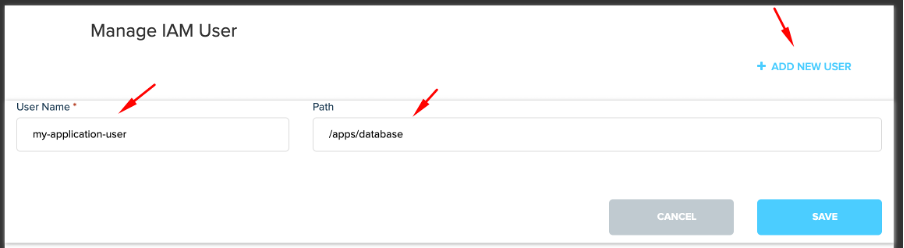
In this screenshot, the user «my-application-user» is created, which is to be given access to the path (optional) «/apps/database».
Configuring access keys
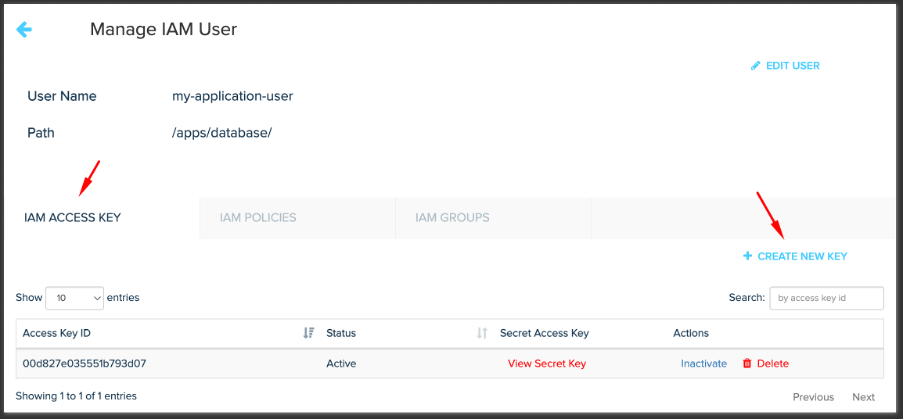
You can then generate an access key for the IAM user «my-application-user». The private key is shown in a pop-up and should be stored securely elsewhere.
Defining permissions
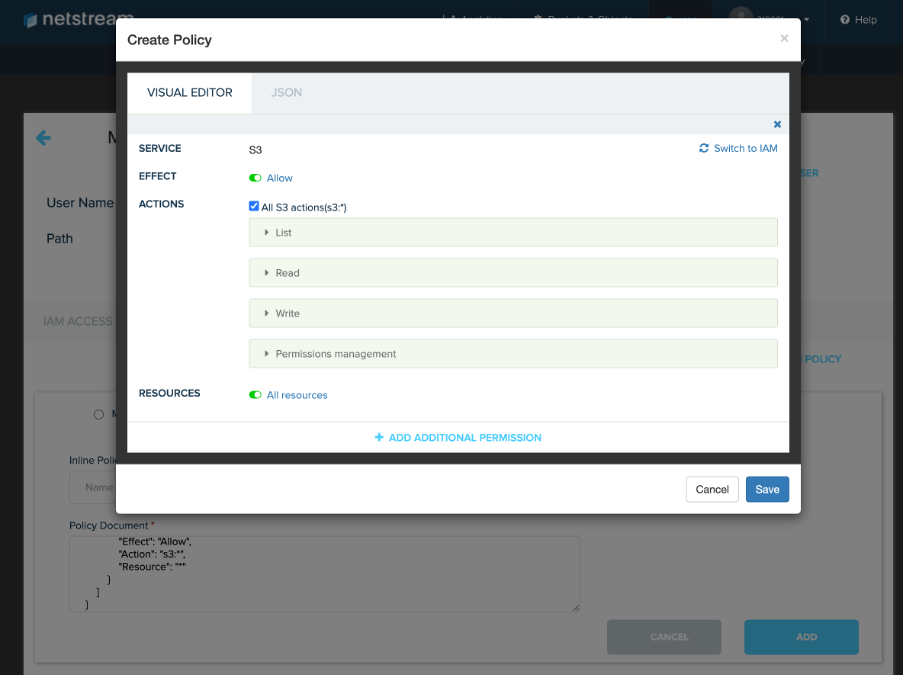
Click «IAM Policies» to select a policy you have already created, or select «Inline Policy» to create a new one. Click the large text field to open the following editor, in which you can define all permissions (in the screenshot, all S3 permissions are enabled).