![Netstream_White_RGB[1].svg]](https://support.netstream.cloud/hubfs/Netstream_White_RGB%5B1%5D.svg)
For cloud servers with Microsoft software that you run on the Netstream Cloud, you must purchase the associated software licences from Netstream.
You can do this easily in our Netstream Cloud Center.
If you have any questions about Microsoft licensing, we will be happy to advise you.
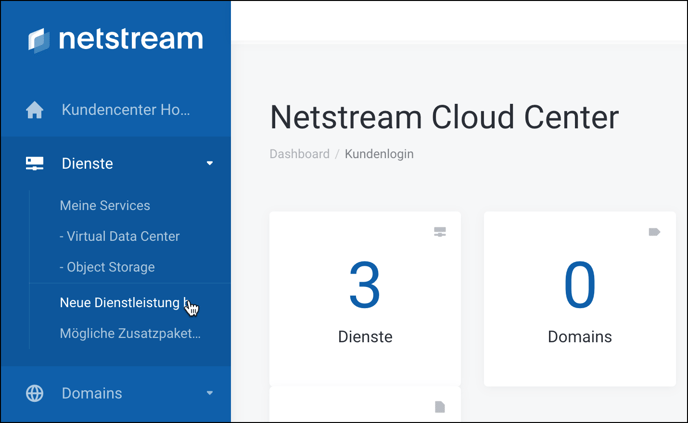
As a first step, in the NCC under Services, click New Service.
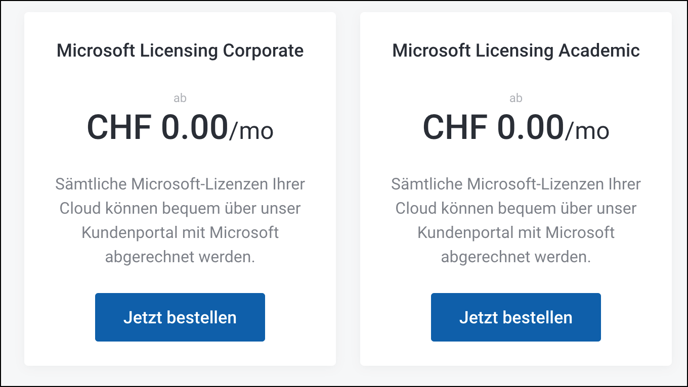
Now select whether you want to order Microsoft Corporate or Academic licences:
You can now select the licences you need.
ℹ️ NOTE
We detect and charge Microsoft Server licences automatically. You do not need to order them here.
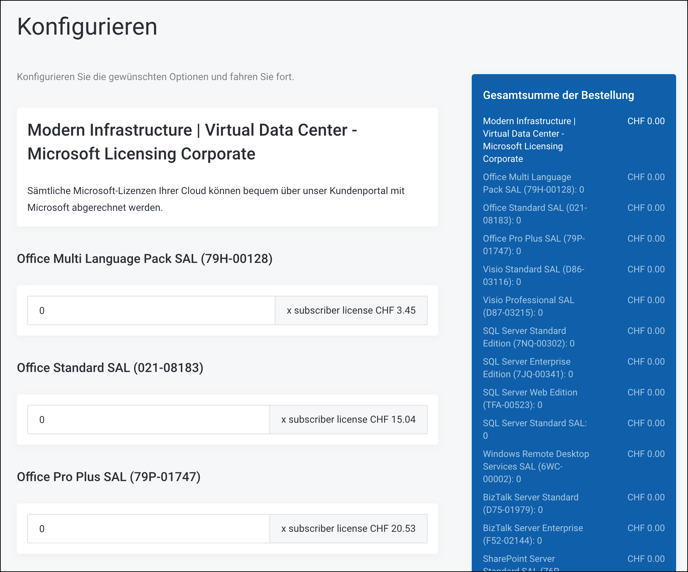
Once you have selected the number of licences, confirm with Continue at the very bottom.
A summary now appears again, where you can continue with the order.
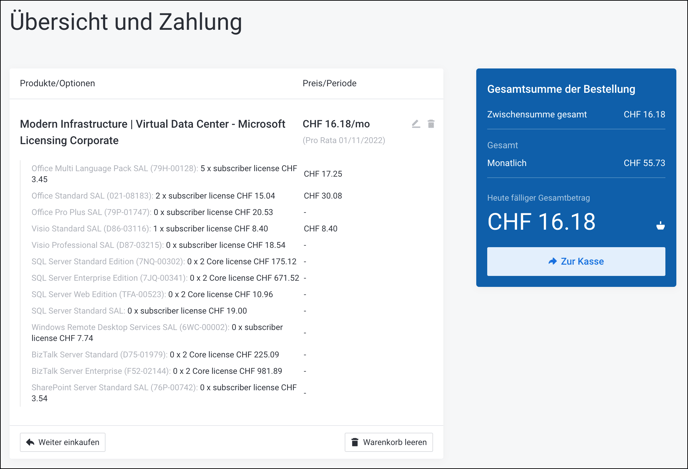
Once your order has been confirmed by a Netstream employee, your Microsoft licences are shown under Services.
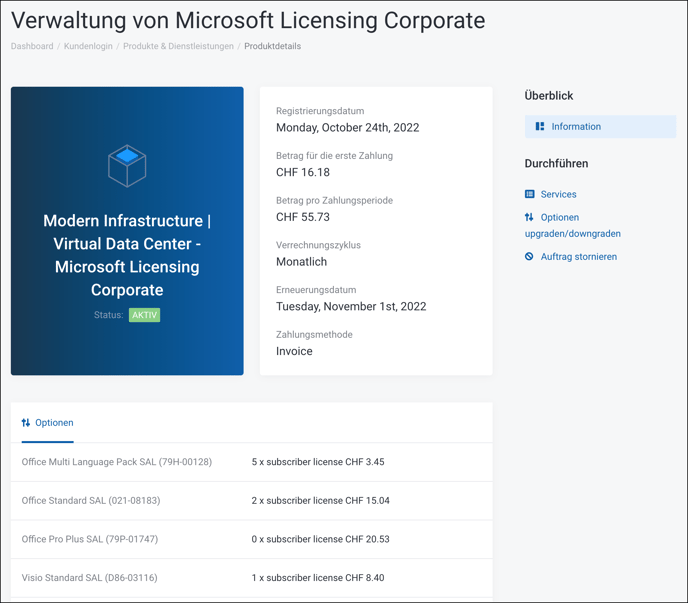
If you need to adjust your licences in future, click Upgrade/Downgrade Options on the right.