![Netstream_White_RGB[1].svg]](https://support.netstream.cloud/hubfs/Netstream_White_RGB%5B1%5D.svg)
The Netstream Cloud Support Center has been replaced by the Netstream Hub.
Registering or logging in to the Cloud Support Center
You can go directly to the Support Center via support.netstream.cloud/tickets.
- You do not have an account:
Register here or via the link below the login window and follow the instructions. - You already have an account:
Log in with your account details.
Ticket overview
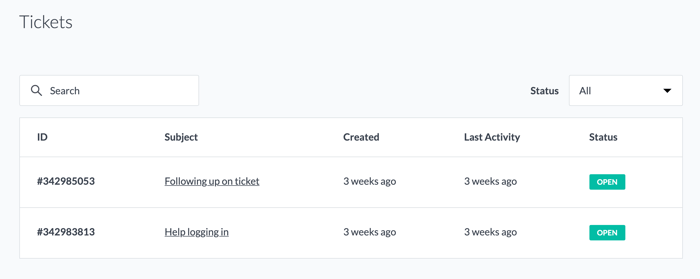
The following ticket properties are visible in the NCSC:- ID
- Subject
- Creation date
- Date of last activity
- Status (open or closed)
Ticket details
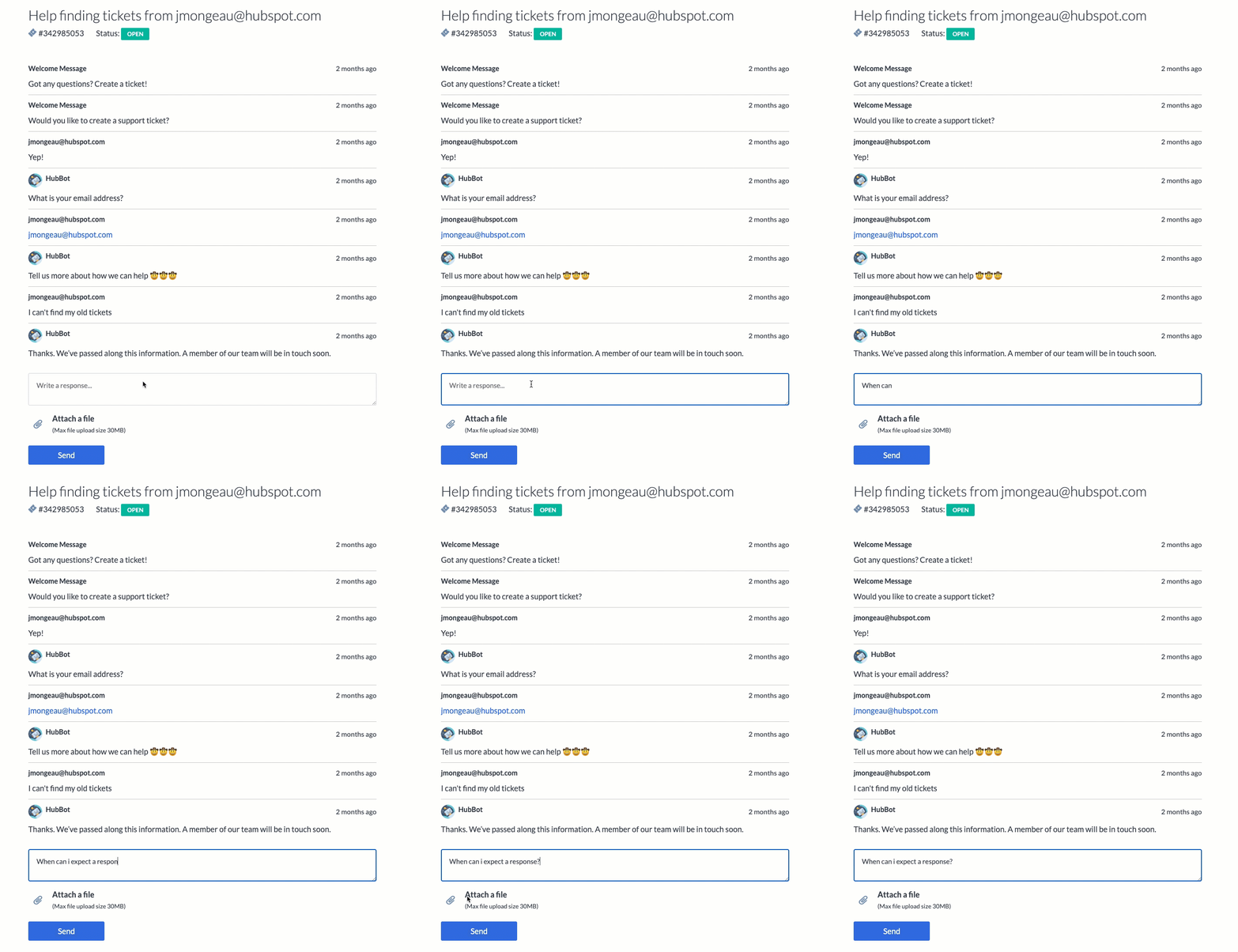
To see more ticket details and the related conversations, click the name of a ticket to open the ticket details page. On the details page, you can follow the conversation with Support, reply or upload new files, and so stay in touch with us.
Creating a new ticket
You can create a ticket at any time by email (to cloud@netstream.ch) or directly in the customer portal under the menu item Submit a support ticket.
Logging out
To log out of the portal, click "Log out" at the top right.