![Netstream_White_RGB[1].svg]](https://support.netstream.cloud/hubfs/Netstream_White_RGB%5B1%5D.svg)
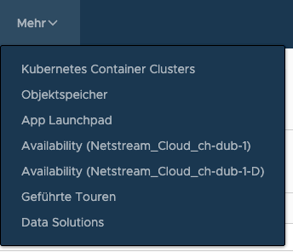
Once the NWAS service has been set up, you can configure the workload protections. To do this, select the relevant Availability instance for the chosen VDC zone in the "More" drop-down menu in VMware Cloud Director. (C/D)
You can then configure the workload protection under "Incoming Replications". To do this, use the following button:
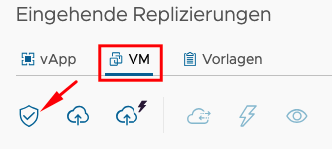
In the first step, select the VM you want to protect.

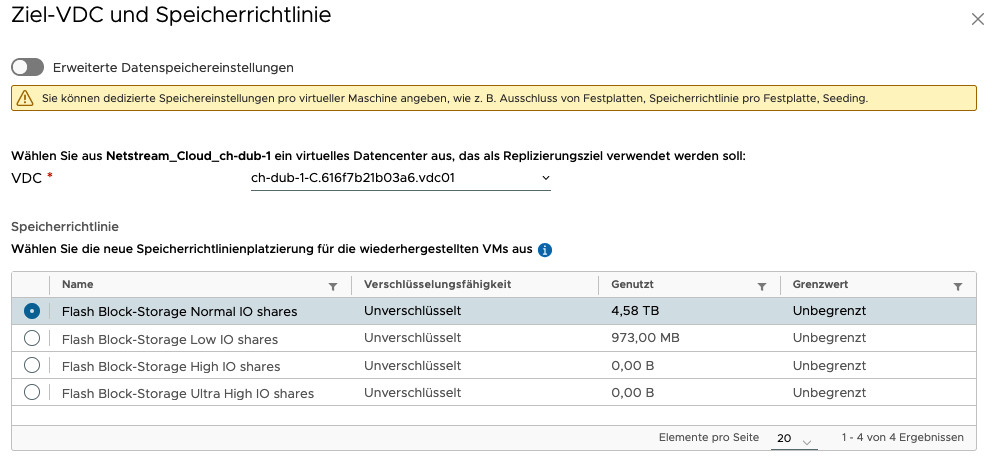
Now select the target VDC and the storage policy.
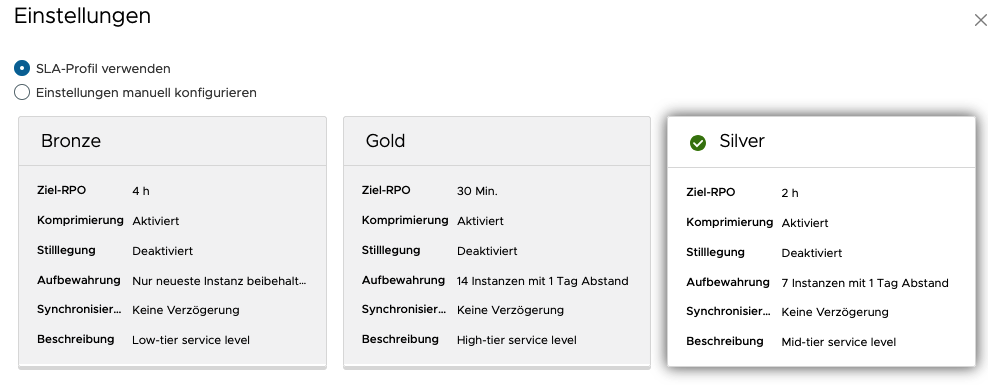
Next, select a protection SLA. It defines how small or large the RPO may be and how long the snapshot instances are kept.
A summary is then shown once more, and after you confirm it, replication is activated. Note that the replicated VM is not visible in the target VDC. It only appears once a failover or a migration is carried out. You can check the replication status in the NWAS GUI at any time.