![Netstream_White_RGB[1].svg]](https://support.netstream.cloud/hubfs/Netstream_White_RGB%5B1%5D.svg)
To follow the instructions in this article, we recommend that you first read this article: Quickstart: Object Storage (S3)
Before you start, make sure you have the following details to hand for the configuration:
- Access key ID
- Secret key
- Bucket name
Veeam can use S3 storage as a scale-out backup repository, either as a capacity tier or an archive tier. You can find more information here.
Setting up an object storage repository
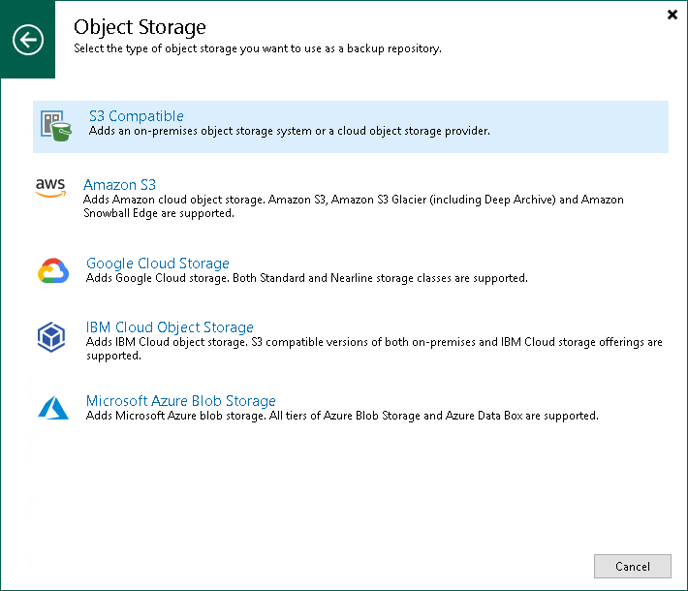
First, you need to start the "New Object Repository" wizard. To do this, open the "Backup Infrastructure" view. From there, select "Backup Repositories", then "Add Repository". In the "Add Backup Repository" dialogue, select "Object Storage", then "S3 Compatible".
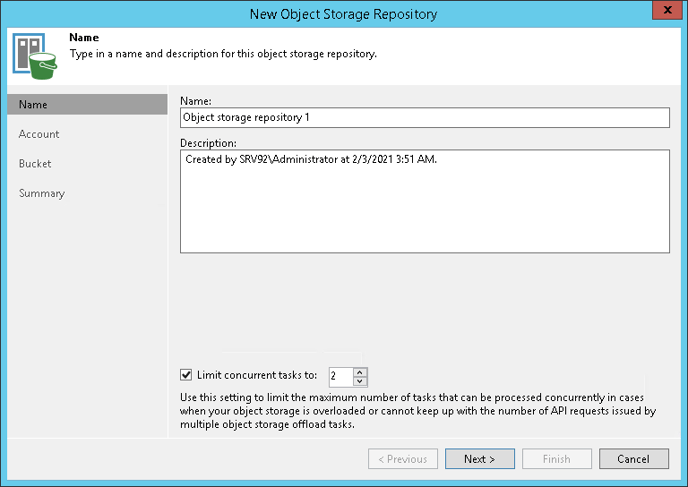
In the next step, enter the name you want for the repository:
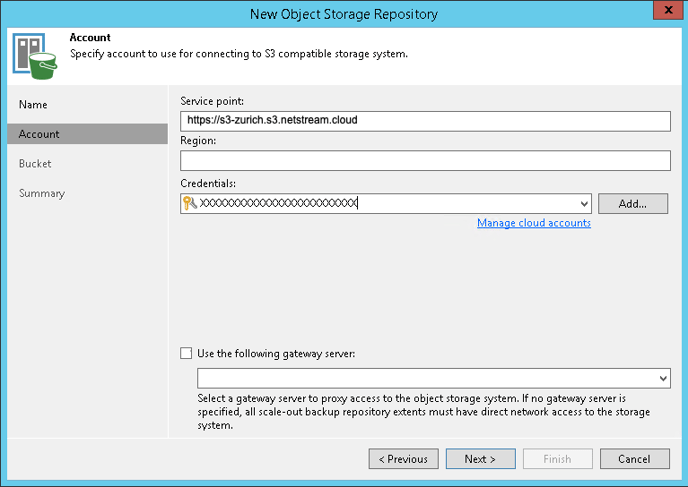
Next, you need to add the Netstream S3 account. Under "Service Point", enter the following: https://s3-zurich.s3.netstream.cloud
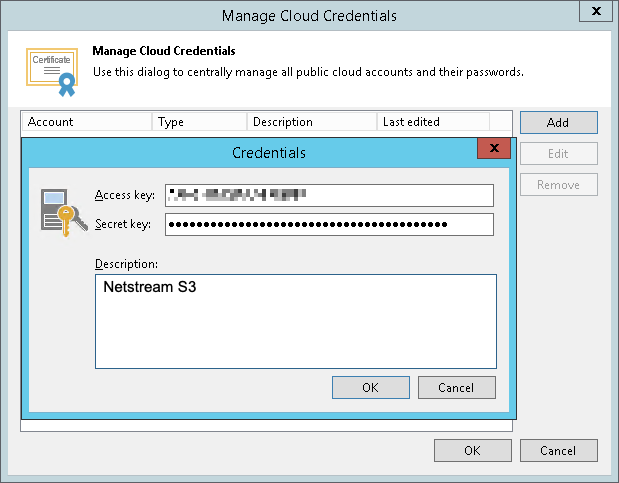
Under "Credentials", click "Add" to enter the login details as follows:
| Access key | <Access key ID> |
| Secret key | <Secret key> |
| Description | Any description |
As the last step, specify the bucket you want and the folder to which the bucket will be mapped in Veeam:
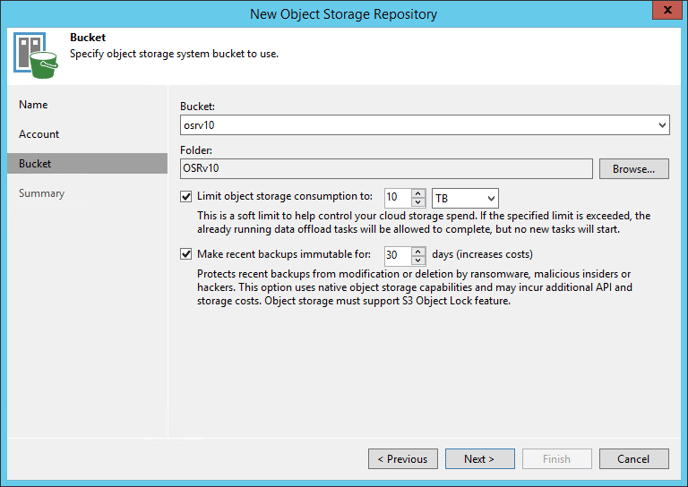
You can now use the S3 storage as a backup destination. More information is available here.